Atlas is out of alpha! v1.0 is live.

Build production-ready
Web Applications

Atlas is a standalone Electron sandbox that runs your app in dangerous conditions (API failures, strict security) while safely mapped to custom production domains on localhost.

> Fetching latest version...
Download for Windows All Platforms

Everything you need

Atlas injects a Shadow DOM overlay directly into the browser viewport, housing 6 powerful core modules to test your apps effortlessly.

Atlas Explorer (Dashboard)

New standalone GUI hub with a VS Code-style tree explorer. Browse projects, open hierarchical reports, and view session recordings in one premium, matte-themed interface.

Chaos Engineering

Use the "Stability" panel to inject HTTP 500 errors, specific 5-second latency spikes, or dropped connection packets on-the-fly via the Chrome DevTools Protocol.

Security Warden

Proactive PII Leak detection. Instantly flags leaked AWS Keys, Secrets, Credit Card numbers, Auth Tokens, and strict CORS header mismatches.

Mermaid Diagrams

Native rendering for mermaid blocks. Transform your Markdown system architecture or flowcharts into live, interactive SVGs automatically in the dashboard.

Networks & Performance

Inspect requests with a high-performance HTTP dashboard. Track anomaly route latency using internal caches to dynamically flag requests performing worse than average.

Session Recording

Automated desktop captures of your debugging workflows via FFMPEG. Watch high-quality playbacks directly within the Atlas Dashboard viewer.

How it works

Three simple steps to launch your full production-ready sandbox.

01

Initialize

Create a new project config file automatically.

atlas init
02

Modify Tabs

Configure testing routes and disabled UI tabs.

// atlas.config.json
{ "disabledTabs": ["console"] }
03

Run

Start the engine and the Electron shadow DOM.

atlas run

The Complete Sandbox Experience

From a 1-second CLI boot directly into a perfectly safe, production-like Shadow DOM UI.

D:\Project>
Atlas HUD
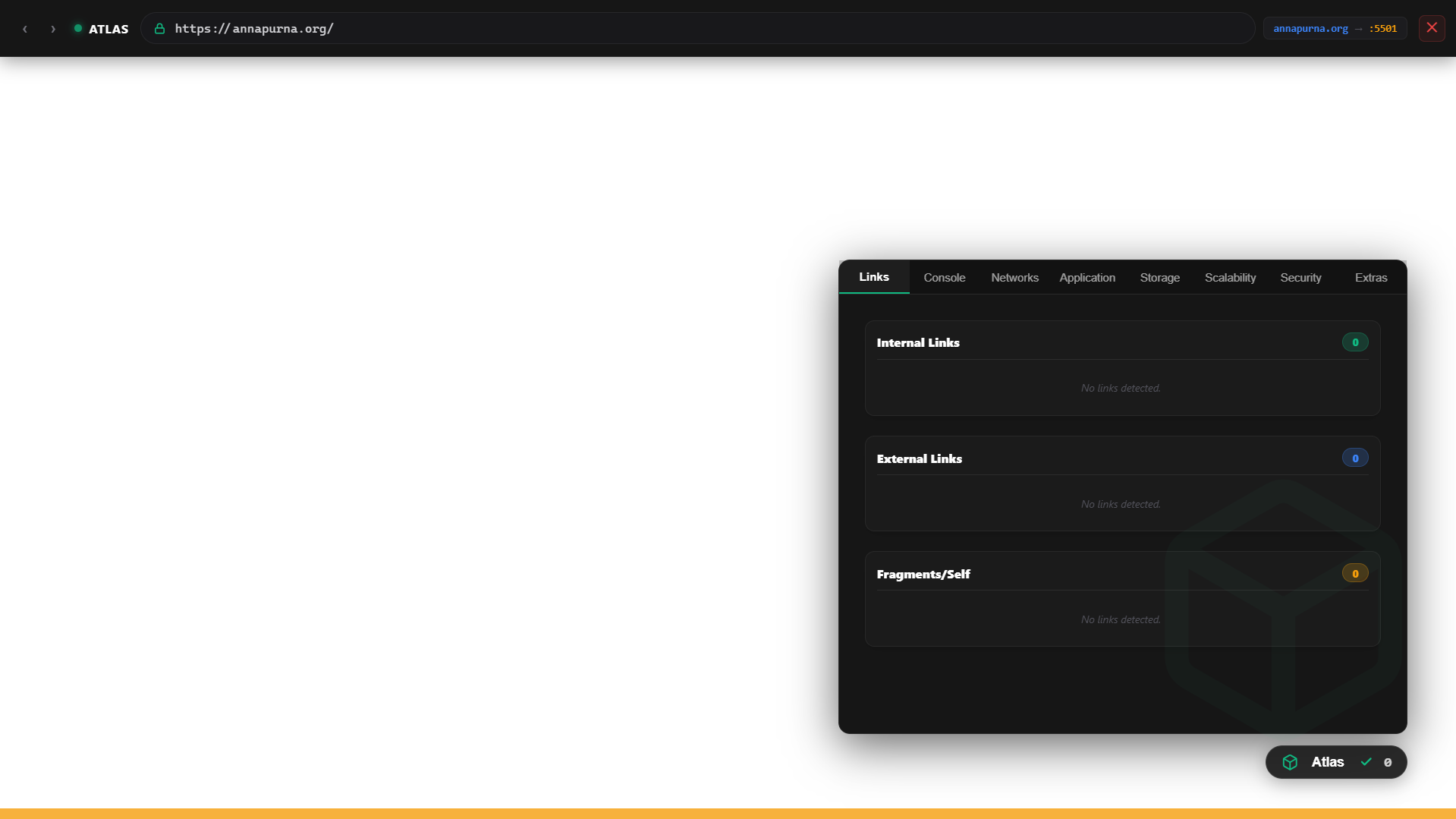
Atlas Sandbox Interface

Your App Runs Here

The Atlas Overlay floats transparently above your local environment.

Why Atlas?

Built for developers, to develop apps without fear of production breaking.

Fast Setup

No more CORS proxy tweaking or manual HTTP header overwrites. Atlas proxies automatically in milliseconds.

Production-Ready

By mimicking the exact harsh conditions of your live servers, you secure high SLA expectations confidently.

Scalable Architecture

Extend Atlas's core capabilities by crafting your own custom Data Collectors and UI Tools natively.

Ready to build your next web app?

Join developers testing production-ready architectures locally today.

Download Installer View Docs